Diese Seite wurde automatisch übersetzt. Es kann daher zu Abweichungen oder Ungenauigkeiten im Text kommen. Verbindlich ist ausschließlich die Originalfassung. Rechtsansprüche aus Inhalten der übersetzten Version sind ausgeschlossen.

Anticipation

It’s starting to feel a bit like Christmas already

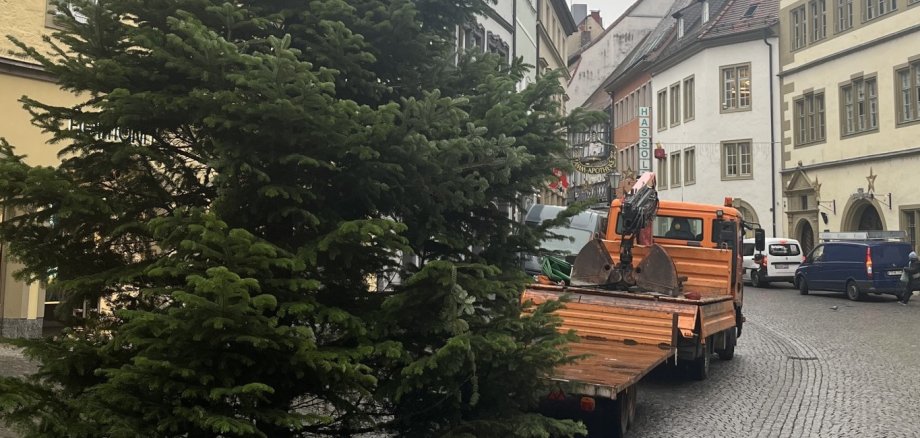
The Christmas tree in the market square has been put up, and staff from the council’s parks department have already been out and about in the neighbourhoods. Staff from the lorry fleet have already been putting up the festive street lighting over the past few weeks and days. And the first stalls are also already being set up by staff from the municipal works yard. It’s impossible to miss: preparations for the Advent season are gathering pace.

On Friday, 27 November, Bavaria’s largest Advent candle will be officially ‘lit’. The market tower will be prepared accordingly at the start of next week. Mayor Dr Enis Tiz will then officially open the Kitzingen Christmas Market to the sounds of the Kolping Music Corps. Until Christmas Eve, delicious mulled wine and other drinks, as well as food, will be on offer in the market square. The highlight of the festive celebrations will be the ‘Kitzingen leuchtet’ Christmas market from 11 to 13 December. With the ‘Nikolaus-Rock’ on 6 December, the first ‘Wine Night Fair’ on 19 December and the ‘Retale’ concert the following day, there are further exciting events for locals and visitors to look forward to.

Help with accessibility

  • General

    We endeavour to make our website accessible. You can find details on this in our accessibility statement. You can send us suggestions for improvement via our feedback form Report accessibility.

  • Font size

    To adjust the font size, please use the following key combinations:

    Larger

    ⌘command
    +

    Smaller

    ⌘command
    –

    Larger

    Ctrl
    +

    Smaller

    Ctrl
    –
  • Keyboard navigation

    Use TAB and SHIFT + TAB to navigate through next/previous links, form elements, and buttons.

    Use ENTER to open links and interact with elements.

  • Contrast mode

    Press the following key combination to reduce or increase the contrast:

    Enlarge

    ⌃control
    ⌥option
    ⌘command
    .

    Decrease

    ⌃control
    ⌥option
    ⌘command
    ,
    Note: The shortcuts must be activated in the system settings of the operating system.

    Press the left ALT key + left SHIFT key + PRINT to quickly turn high contrast mode on or off.

  • Invert colours

    Press the following key combination to switch the colour inversion on and off:

    ⌃control
    ⌥option
    ⌘command
    8
    Note: The shortcuts must be activated in the system settings of the operating system.

    First activate the screen magnifier and then switch the colour inversion on and off with the following key combinations:

    1. screen magnifier

    +

    2. invert colours

    Ctrl
    Old
    I
  • Screen magnifier

    Press the following key combinations to use the screen magnifier:

    Switch on/off

    ⌥option
    ⌘command
    8

    Enlarge view

    ⌥option
    ⌘command
    =

    Zoom out view

    ⌥option
    ⌘command
    –
    Note: The shortcuts must be activated in the system settings of the operating system.

    Switch on / Enlarge view

    +

    Zoom out view

    –