Diese Seite wurde automatisch übersetzt. Es kann daher zu Abweichungen oder Ungenauigkeiten im Text kommen. Verbindlich ist ausschließlich die Originalfassung. Rechtsansprüche aus Inhalten der übersetzten Version sind ausgeschlossen.

JAZZ AND MORE: „Italojazz feat. Giacomo Di Benedetto“
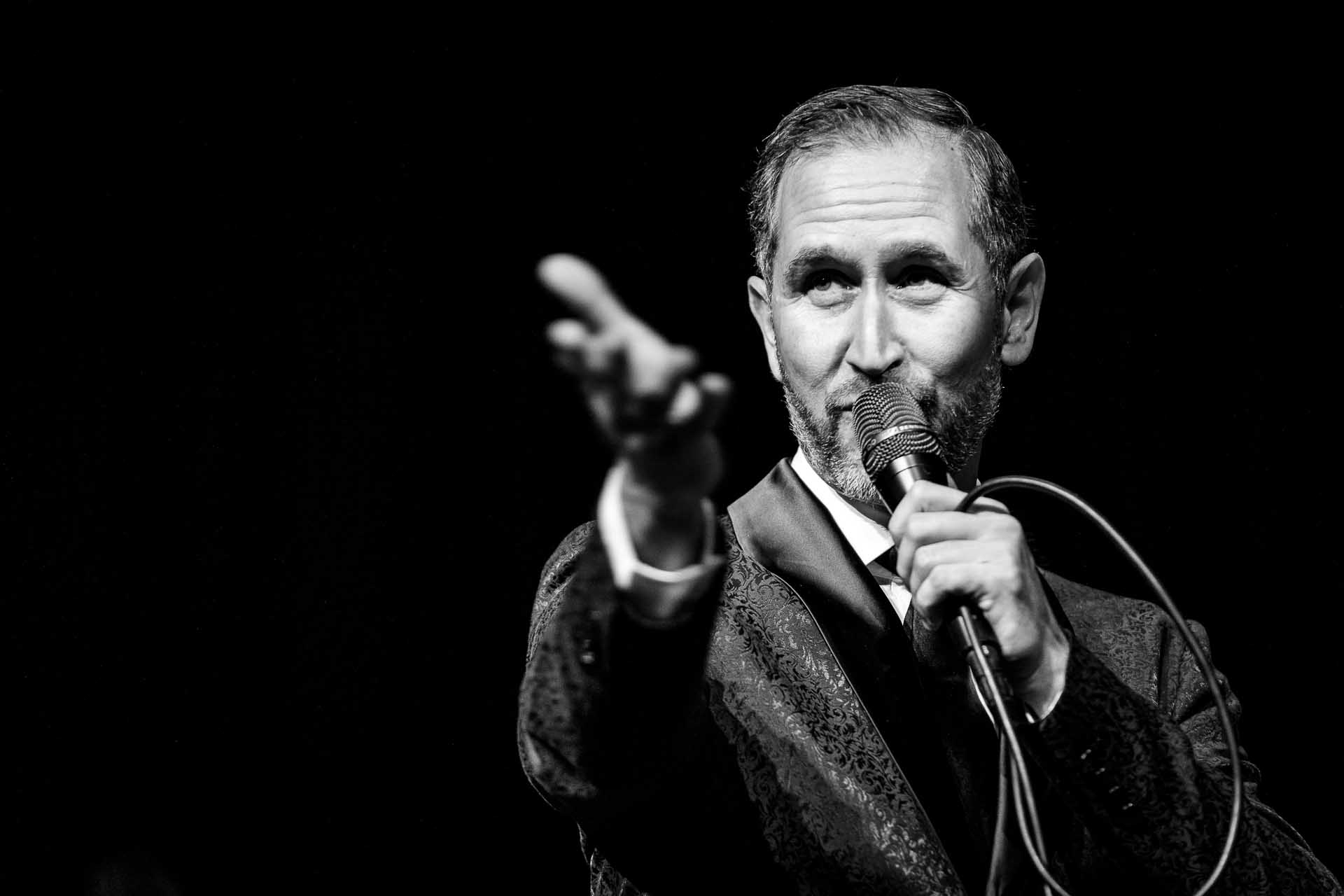
Giacomo Di Benedetto am Mikrophon.
Culture & Stage

Category: Culture & Stage

JAZZ AND MORE: „Italojazz feat. Giacomo Di Benedetto“

Jazzy Italy – feat. Giacomo Di Benedetto (Vocals)
Unter dem Motto jazzy Italy treffen italienische Evergreens und Folklore auf Jazz. Stücke von Liedermachern wie Paolo Conte, Gino Paoli, aber auch Kompositionen aus Oper oder Filmmusik stehen auf dem Programm. Italienische Klänge verschmelzen mit swingenden, jazzigen Rhythmen und dienen als Grundlage für spannende Arrangements und Improvisationen. Begeben Sie sich auf eine Italienreise der anderen Art und lassen Sie sich von der Musik in den Bann ziehen. Vorgetragen werden die Titel von dem aus Florenz stammenden Sänger Giacomo Di Benedetto. Er tourte und arbeitetet mit zahlreichen Orchestern und Ensembles u.a. dem Hugo Strasser Orchester, Circus Roncalli Orchester oder den Münchner Symphoniker.
Wie immer stellen Bernhard Pichl (Piano), Rudi Engel (Bass) und Florian Kettler (Drums) mit ihrem Special Guest das Thema unterhaltsam wie eindrücklich vor – gespickt mit Anekdoten, Geschichten und Improvisation, die erst auf der Bühne entsteht.

Datum:12. Juni 2026

Time: from 8.00 pm

Eintritt: 20,- € VVK, 22,- € AK ermäßigt: 14,- € VVK, 16,- € AK, Preise inkl. 7% MwSt.
  • Highlight
  • Concert
  • Old Synagogue Culture Centre

Help with accessibility

  • General

    We endeavour to make our website accessible. You can find details on this in our accessibility statement. You can send us suggestions for improvement via our feedback form Report accessibility.

  • Font size

    To adjust the font size, please use the following key combinations:

    Larger

    command
    +

    Smaller

    command

    Larger

    Ctrl
    +

    Smaller

    Ctrl
  • Keyboard navigation

    Use TAB and SHIFT + TAB to navigate through next/previous links, form elements, and buttons.

    Use ENTER to open links and interact with elements.

  • Contrast mode

    Press the following key combination to reduce or increase the contrast:

    Enlarge

    control
    option
    command
    .

    Decrease

    control
    option
    command
    ,
    Note: The shortcuts must be activated in the system settings of the operating system.

    Press the left ALT key + left SHIFT key + PRINT to quickly turn high contrast mode on or off.

  • Invert colours

    Press the following key combination to switch the colour inversion on and off:

    control
    option
    command
    8
    Note: The shortcuts must be activated in the system settings of the operating system.

    First activate the screen magnifier and then switch the colour inversion on and off with the following key combinations:

    1. screen magnifier

    +

    2. invert colours

    Ctrl
    Old
    I
  • Screen magnifier

    Press the following key combinations to use the screen magnifier:

    Switch on/off

    option
    command
    8

    Enlarge view

    option
    command
    =

    Zoom out view

    option
    command
    Note: The shortcuts must be activated in the system settings of the operating system.

    Switch on / Enlarge view

    +

    Zoom out view

Select language