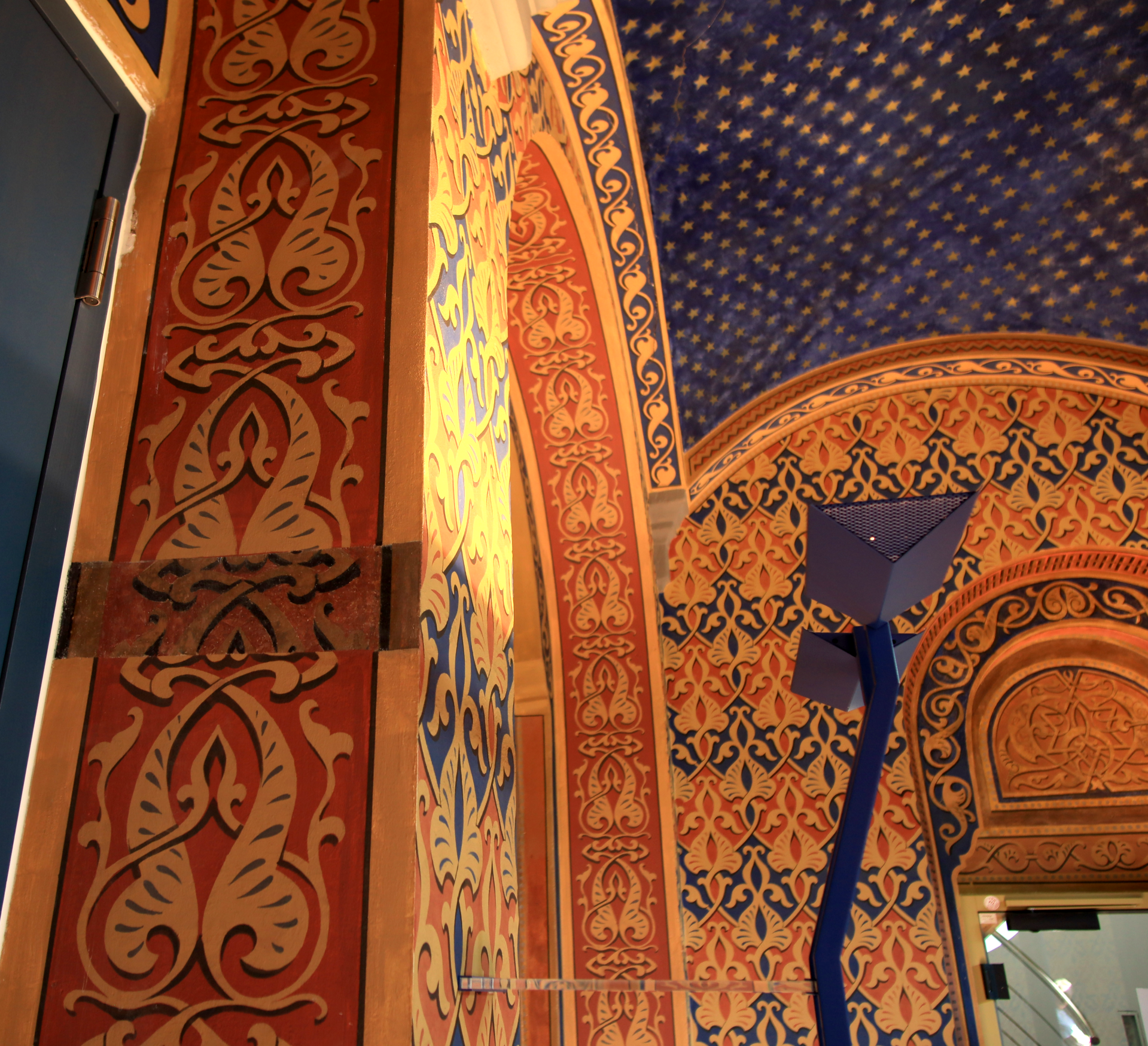
Beautiful wall decoration of the Old Synagogue from the inside
Diese Seite wurde automatisch übersetzt. Es kann daher zu Abweichungen oder Ungenauigkeiten im Text kommen. Verbindlich ist ausschließlich die Originalfassung. Rechtsansprüche aus Inhalten der übersetzten Version sind ausgeschlossen.

Guided tour of the Old Synagogue

The synagogue was built by the Jewish community in Kitzingen in 1883. During the "Reichskristallnacht", the National Socialists vandalised the interior of the building and then set it on fire. In 1993, the restored synagogue was "rededicated" in a festive ceremony. From the outside, the synagogue today looks almost like the original. The beige-grey limestone foundation walls, into which red sandstone ashlars have been set for decoration, withstood the flames.

Come and experience one of the many cultural events held at the synagogue, or contact the Förderverein ehemalige Synagoge Kitzingen e.V. to book a guided tour

Registrations/bookings for groups: 

Friends of the Former Synagogue in Kitzingen AssociationTel
: 09321 921244 | synagoge.kitzingen@web.de

Further information on the development organisation
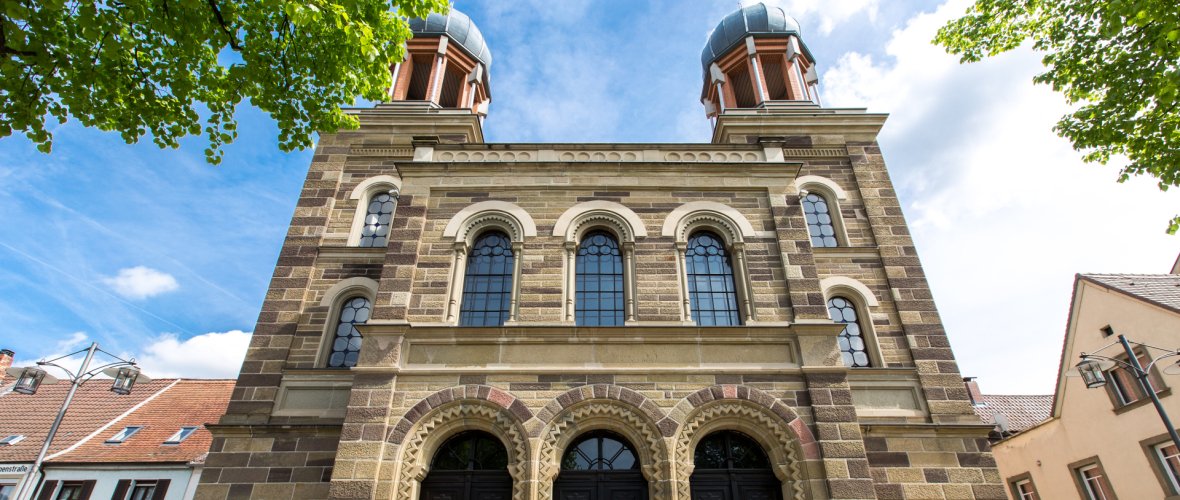
Front of the Old Synagogue photographed from below

Help with accessibility

  • General

    We endeavour to make our website accessible. You can find details on this in our accessibility statement. You can send us suggestions for improvement via our feedback form Report accessibility.

  • Font size

    To adjust the font size, please use the following key combinations:

    Larger

    command
    +

    Smaller

    command

    Larger

    Ctrl
    +

    Smaller

    Ctrl
  • Keyboard navigation

    Use TAB and SHIFT + TAB to navigate through next/previous links, form elements, and buttons.

    Use ENTER to open links and interact with elements.

  • Contrast mode

    Press the following key combination to reduce or increase the contrast:

    Enlarge

    control
    option
    command
    .

    Decrease

    control
    option
    command
    ,
    Note: The shortcuts must be activated in the system settings of the operating system.

    Press the left ALT key + left SHIFT key + PRINT to quickly turn high contrast mode on or off.

  • Invert colours

    Press the following key combination to switch the colour inversion on and off:

    control
    option
    command
    8
    Note: The shortcuts must be activated in the system settings of the operating system.

    First activate the screen magnifier and then switch the colour inversion on and off with the following key combinations:

    1. screen magnifier

    +

    2. invert colours

    Ctrl
    Old
    I
  • Screen magnifier

    Press the following key combinations to use the screen magnifier:

    Switch on/off

    option
    command
    8

    Enlarge view

    option
    command
    =

    Zoom out view

    option
    command
    Note: The shortcuts must be activated in the system settings of the operating system.

    Switch on / Enlarge view

    +

    Zoom out view

Select language