

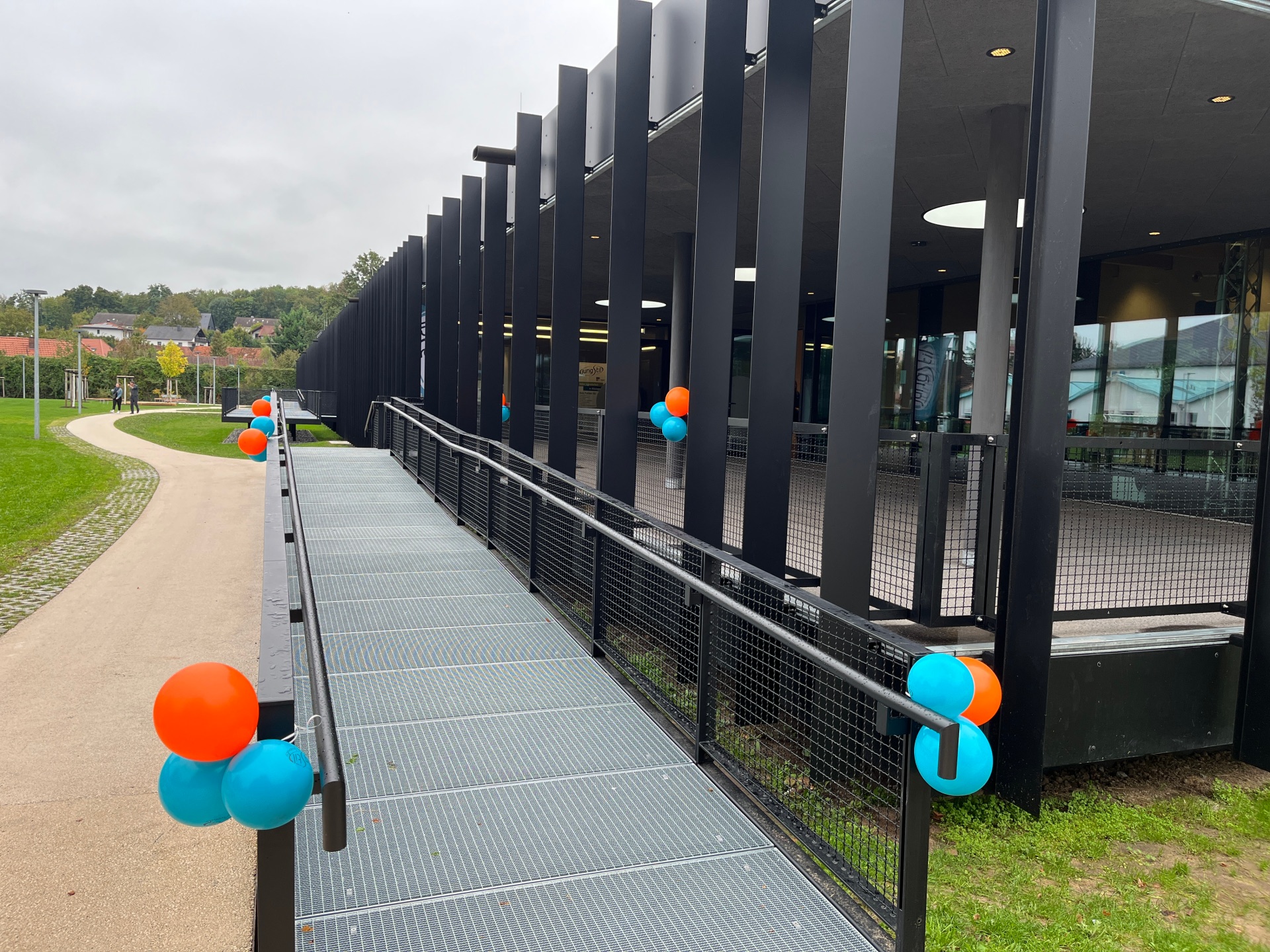
The entrance to the House for Youth and Family is decorated with colourful balloons for the inauguration.
Diese Seite wurde automatisch übersetzt. Es kann daher zu Abweichungen oder Ungenauigkeiten im Text kommen. Verbindlich ist ausschließlich die Originalfassung. Rechtsansprüche aus Inhalten der übersetzten Version sind ausgeschlossen.

Haus für Jugend & Familie

Das „Haus für Jugend und Familie“ ist ein zentraler, nachhaltiger Treffpunkt für Kinder, Jugendliche und Familien in Kitzingen – mit modernen Räumen, um Begegnung, Bildung und Gemeinschaft zu fördern.

Idee & Konzept

  • Entstanden aus dem Wunsch nach einem dauerhaften Standort für die städtische Jugendarbeit.
  • Ziel: Angebote für Jugendliche und Familien an einem Ort bündeln.
  • Beschluss des Stadtrats am 21. Februar 2019: Bau auf dem Florian-Geyer-Platz.
  • Raumkonzept (ca. 750 m² Hauptnutzfläche) mit Bereichen für Jugendarbeit (z. B. Bandraum, Jugendcafé, Medienstudio), Familienstützpunkt, Rappelkiste, Büros und Gemeinschaftsräume.


Architektur & Bauweise

  • Entwurf von Langensteiner Bienhaus Architekten (Ettlingen) und Ramthun Landschaftsarchitekten (Baden-Baden).
  • Einstöckiger Neubau in modularer Massivholzbauweise, barrierefrei.
  • Nachhaltige Elemente: Dachbegrünung, Photovoltaikanlage, Wärmepumpe (Luft), Retentionsflächen zur Regenwasserversickerung.
  • Erhalt des Baumbestands und gute Schallschutzwirkung durch Gebäudeausrichtung.
  • Außenbereich mit Bolzplatz, Spiel- und Bewegungsflächen.


Zeitlicher Ablauf

  • Wettbewerbsentscheid: 25. Juni 2020
  • Baubeginn: März 2023
  • Richtfest: 14. November 2023
  • Fertigstellung und Einzug: Juli 2025
  • Offizielle Eröffnung: September 2025
  • Tag der offenen Tür: Oktober 2025

Help with accessibility

  • General

    We endeavour to make our website accessible. You can find details on this in our accessibility statement. You can send us suggestions for improvement via our feedback form Report accessibility.

  • Font size

    To adjust the font size, please use the following key combinations:

    Larger

    command
    +

    Smaller

    command

    Larger

    Ctrl
    +

    Smaller

    Ctrl
  • Keyboard navigation

    Use TAB and SHIFT + TAB to navigate through next/previous links, form elements, and buttons.

    Use ENTER to open links and interact with elements.

  • Contrast mode

    Press the following key combination to reduce or increase the contrast:

    Enlarge

    control
    option
    command
    .

    Decrease

    control
    option
    command
    ,
    Note: The shortcuts must be activated in the system settings of the operating system.

    Press the left ALT key + left SHIFT key + PRINT to quickly turn high contrast mode on or off.

  • Invert colours

    Press the following key combination to switch the colour inversion on and off:

    control
    option
    command
    8
    Note: The shortcuts must be activated in the system settings of the operating system.

    First activate the screen magnifier and then switch the colour inversion on and off with the following key combinations:

    1. screen magnifier

    +

    2. invert colours

    Ctrl
    Old
    I
  • Screen magnifier

    Press the following key combinations to use the screen magnifier:

    Switch on/off

    option
    command
    8

    Enlarge view

    option
    command
    =

    Zoom out view

    option
    command
    Note: The shortcuts must be activated in the system settings of the operating system.

    Switch on / Enlarge view

    +

    Zoom out view

Select language